Crew Records
Crew files, qualifications and expiry oversight
Vega Crew Records gives flight operations and cabin administrators a structured file for each crew member. Maintain people and their aircraft roles, record qualifications and documents, and see missing or expiring requirements. Crew members can view their own file when linked to a Vega account. The module works with manual records; a connected source can also supply imported records.
Crew Records Console
Aviation Specification
Core Capabilities
Architected for flight deck and operations control.
Engineered to replace fragmented email threads and manual paper filing with structured, verifiable compliance workflows.
One file per crew member
Review a crew member’s profile, aircraft roles, qualifications and documents together. Create and maintain records manually, or import from a connected crew source when available.
Configurable record types
Define documents and qualifications by flight or cabin category, role and aircraft type. Mark required records so missing or invalid evidence is visible in the applicable crew file.
Expiry and attention board
Find missing, overdue and upcoming records by crew member or qualification. Filter by time window and export the attention list as CSV or PDF.
Crew access and planning checks
Linked crew members can review their own file. When Crew Planning is connected, it can use Crew Records evidence during assignment checks; operational review remains with the operator.
Real Operational Interface
Operational screens from the Vega demo.
Captured directly from Vega Altair demo
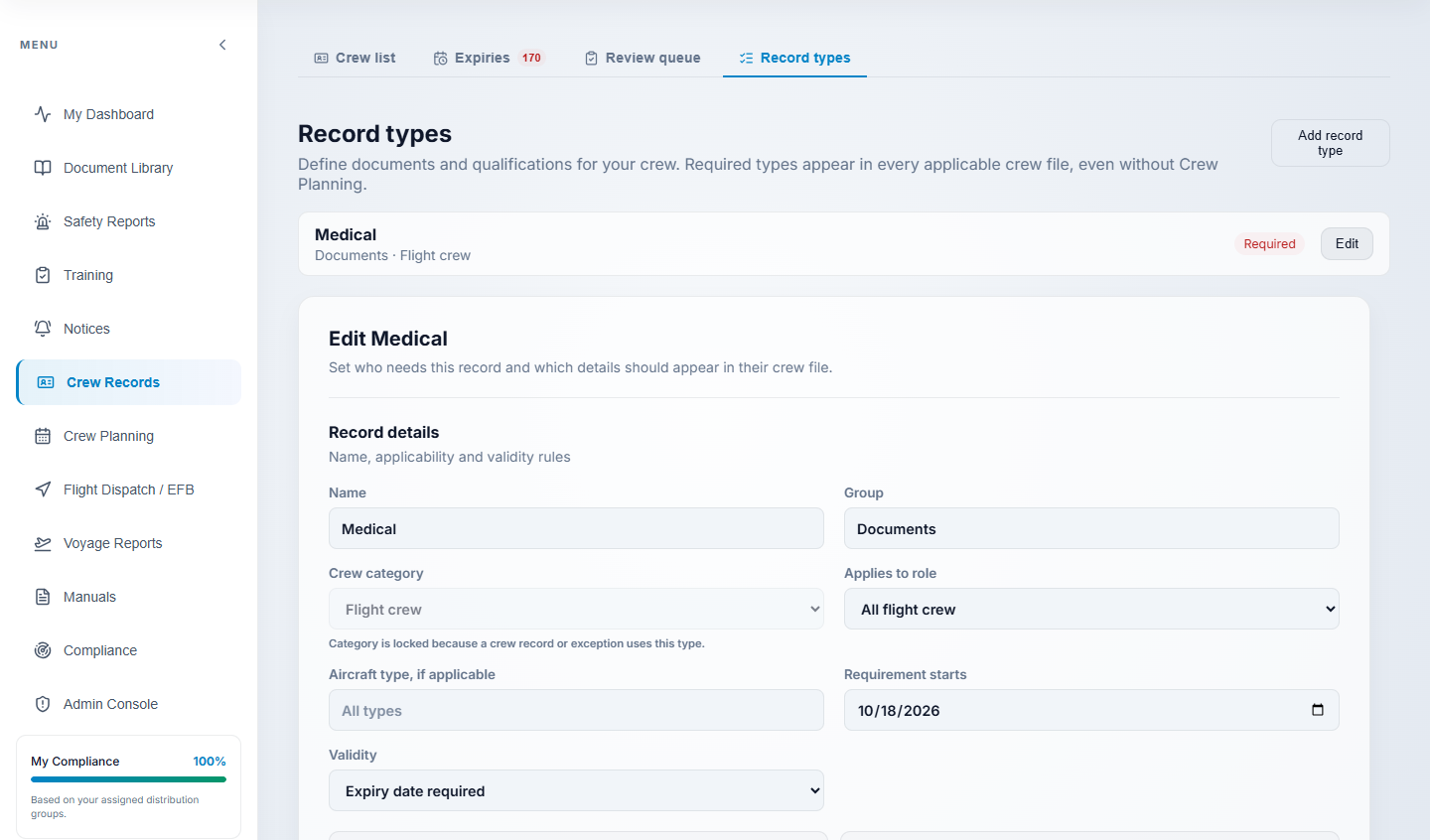
Crew Record Requirements
The live Vega demo record-type editor for a required flight crew medical record.
Operational Workflow
From setup to everyday control.
A clear path from configuration to ongoing oversight.
Set record requirements
Define the documents and qualifications needed for each applicable crew category, role or aircraft type.
Build crew files
Add flight and cabin crew manually or import from a connected source, then link Vega accounts where appropriate.
Maintain evidence
Record qualifications, document details and validity dates in each crew member’s file.
Review attention items
Use the expiry board to identify missing and upcoming records, then open the affected crew files.
Ready to evaluate Crew Records for your operation?
Request a technical demonstration of this module with representative operational data.